
AI project creation
Bootstrap screens, navigation, components, variables, and supporting project structure.
FlutterPilot covers the whole path of building a Flutter app—screens, navigation, actions, state, data, preview, and delivery—in one project instead of a chain of separate handoffs.
Useful for a quick MVP—and designed to keep working as the app grows.
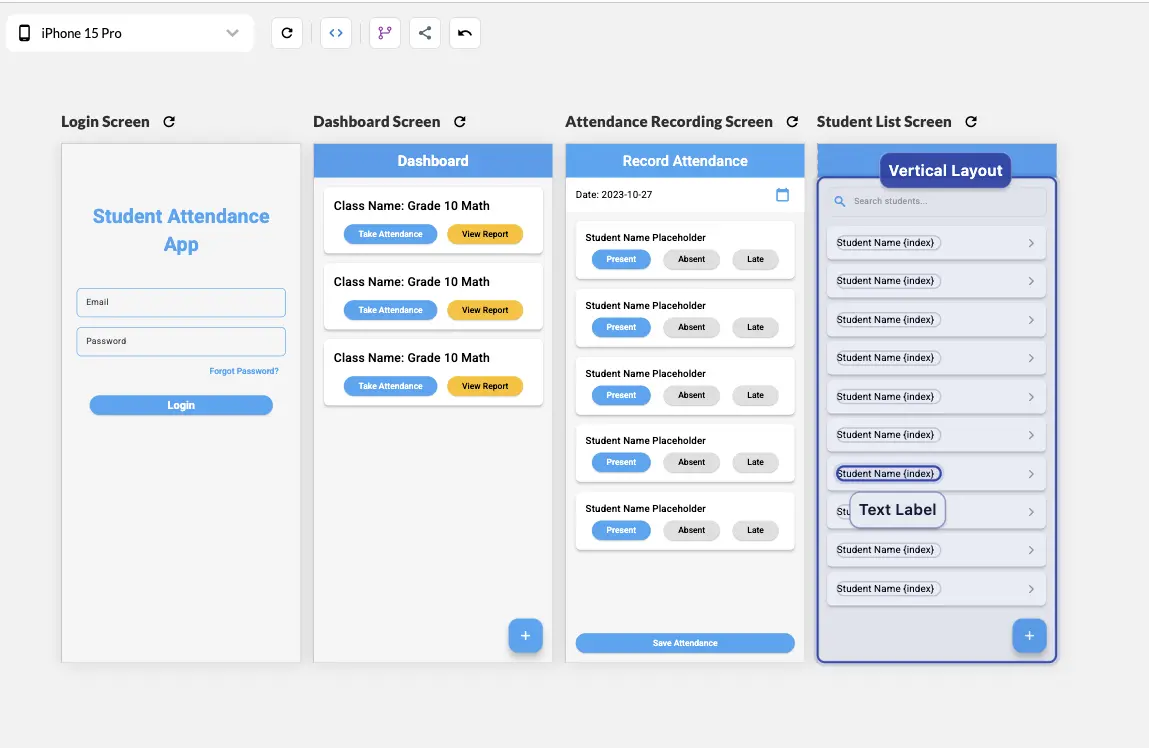
Login, dashboard, attendance, and student list screens of one app on the canvas.
A convincing interface is only the beginning. Real products need navigation, state, API calls, reusable components, responsive layouts, and a clean path to delivery. FlutterPilot keeps those parts in the same project instead of turning them into separate handoffs.
This is the end-to-end path in FlutterPilot Studio, from a one-line idea to a Flutter project you can open locally.
Write a sentence or two about who the app is for and what it does. Use the AI project creator, start from a template, or open a blank project and choose Mobile, Tablet, Desktop, or Web.
Let AI create the initial screens and navigation, or build them on the canvas from Flutter widgets. Either way, edit the result in the widget tree and property panel.
Attach actions to taps and other events: navigate between screens, open dialogs and bottom sheets, check conditions, update app or page state, or run custom Dart code.
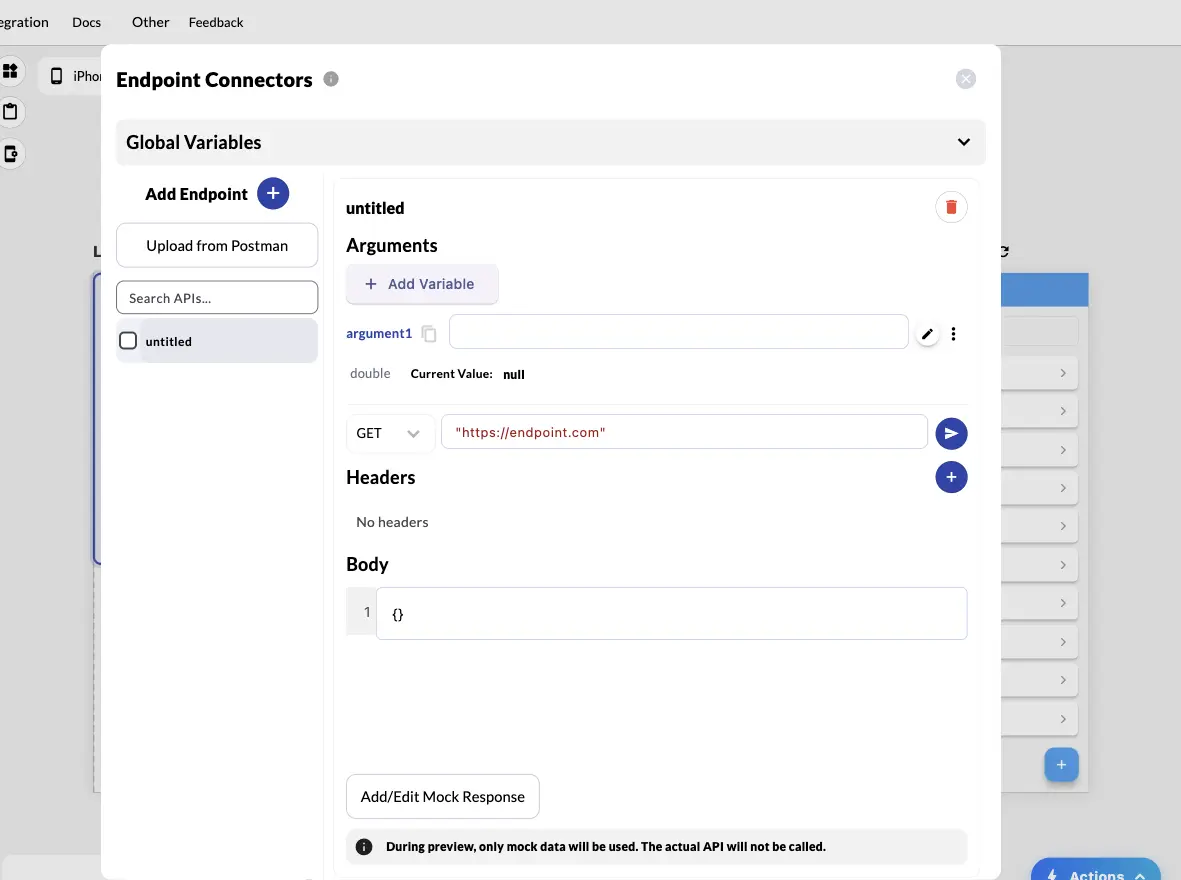
Define collections in the Data Panel, connect Google Sheets, Firebase, or Supabase (Beta), or add REST endpoints manually or from a Postman collection. Bind results to lists and forms.
Run the app in the Studio and switch device sizes. Endpoints can return mock responses, so previews don't call your real API.
Download the complete Flutter project as a ZIP, request an Android APK, or publish a hosted web app. Type-aware export validation reduces invalid generated Dart.
The Endpoint Connectors panel is where step four happens for REST data:
The screens pictured at the top of this page are a good size for a first project. Here is how the six steps apply to them:
Bootstrap screens, navigation, components, variables, and supporting project structure.
Compose and refine the app with Flutter-aware controls and a live visual hierarchy.
Model navigation, conditions, updates, dialogs, and device behavior with visual flows.
Use REST APIs, Postman collections, or local data, plus Google Sheets, Firebase, and Supabase (Beta).
Review mobile, tablet, and desktop layouts without splitting the work into separate projects.
Share a hosted web build, request an Android APK, or export the Flutter source.
Choose FlutterPilot when the team needs to move quickly through UI, behavior, data, and handoff without giving up the underlying Flutter project.
Yes. It supports multi-screen projects, navigation, actions, state, data connections, and reusable components.
REST endpoints (manual or imported from Postman) and local collections stored on the device, plus Google Sheets, Firebase, and Supabase, which are in Beta.
From the Studio you can publish a hosted web app (5 credits) and build an installable Android APK for testing (3 credits). Google Play and App Store publishing aren't built in yet: export the Flutter project and build store releases with your own Flutter toolchain. The in-app deploy guide covers iOS/TestFlight and desktop releases.
Export the complete Flutter project as a ZIP and open it in your usual editor and Flutter toolchain.
Start in the browser, refine the project visually, and export Flutter source when it is ready for your workflow. Prefer a head start? Browse Flutter app templates.