Welcome to FlutterPilot
A rapid visual builder that bridges design and Flutter development with editable UI, live logic, and exportable source code.
Explore the same product areas documented inside FlutterPilot Studio—from AI generation and visual logic to connected data, deployment, and the complete component reference.

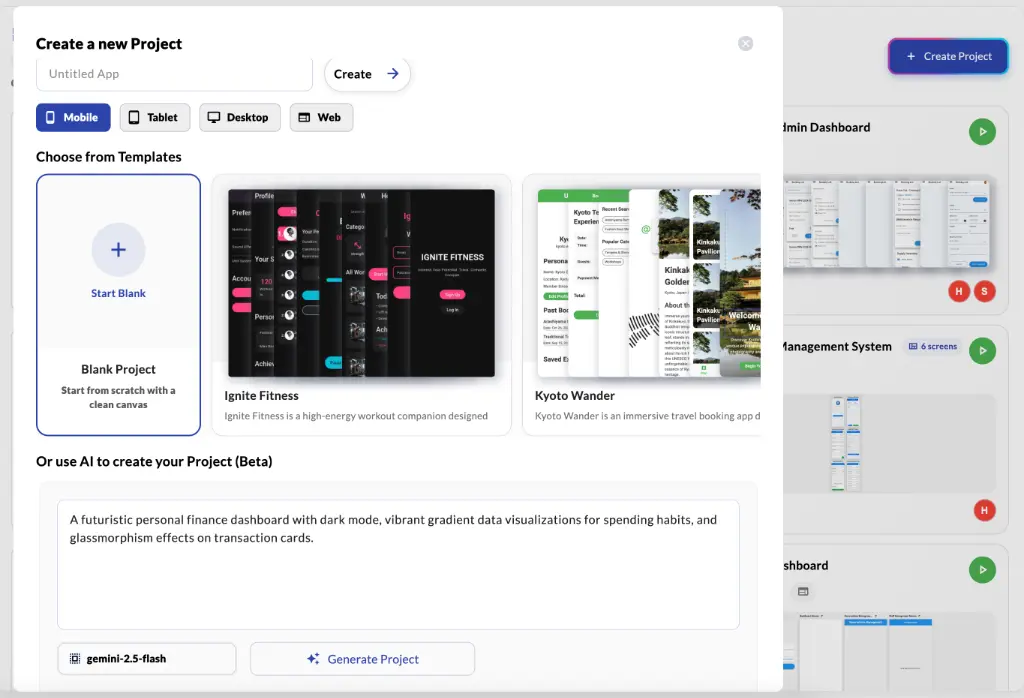
Start with a whole project, a screen, or a single component.
Arrange widgets visually and refine them with AI or direct controls.
Add state, actions, collections, Sheets, or REST endpoints.
Preview, export source, build Android, or deploy to the web.
Foundation
Start with the workspace, then use the built-in guide or AI when you need contextual help.
A rapid visual builder that bridges design and Flutter development with editable UI, live logic, and exportable source code.
The Studio includes a searchable, task-based guide with deep links, contextual highlighting, and an Ask AI handoff.
Create
Move from a project idea to editable screens, working actions, and predictable application state.
Generate full projects, screens, and component trees, then refine them through revision-aware AI editing.
Chain navigation, overlays, state changes, data operations, conditions, device features, and custom Dart code.
Use app-wide or page-scoped variables, optional persistence, and explicit rebuild modes without wiring boilerplate.
Data
Model, preview, and load data from local collections, spreadsheets, APIs, and cloud backends.
One workspace for collection schemas, live rows, design-time samples, templates, and AI-assisted data modeling.
Connect Google Sheets (Beta), infer a typed schema, insert mapped UI templates, and bind forms or lists to live rows.
Build offline-first experiences with on-device collections, safe schema changes, real rows, and generated samples.
Configure and test REST endpoints manually or from Postman, then design success, loading, and error states visually.
Release
Take the project beyond preview with source exports, platform builds, hosted web releases, and mobile ads.
Open one release workspace for complete Flutter source exports, Android APK generation, and deployment history.
Follow platform-specific guidance for hosted web apps, Android builds, iOS/TestFlight, and desktop releases.
Add mobile banner ads with validated AdMob identifiers and export-time configuration handled by FlutterPilot.
Reference
The in-Studio reference stays synchronized with the component catalog and supported Dart runtime.
Structure screens with Column, Row, Container, Stack, ListView, GridView, Wrap, and SafeArea.
Text, images, cards, chips, charts, web views, ads, progress indicators, and more.
Buttons, fields, switches, checkboxes, dropdowns, sliders, pickers, and forms.
App bars, tabs, drawers, page views, data loaders, conditions, and loops.
String, number, boolean, DateTime, dynamic values, and expressions.
List, Map, Set, Iterable, and their supported methods.
ApiResponse, SharedPreferences, Firestore, and storage-facing helpers.
App helpers, Timer, Future, TextEditingController, and common expressions.
Guides
Step-by-step overviews that put these Studio features in the order you would use them.
Add endpoints, import Postman collections, mock responses, and show API data.
Connect a sheet, insert bound screens, and choose how exports reach it (Beta).
Put your app online at a shareable flutterpilot.com address.
Build an installable APK in the cloud and share it with testers.
Example prompts and how to refine generated screens.
Build screens visually with real Flutter widgets.
Six steps from idea to an exported Flutter project.
How FlutterPilot compares, with trade-offs.
Start from an editable template in the Studio.
What changed in the latest FlutterPilot release.
Open Documentation inside FlutterPilot Studio for searchable guides, contextual deep links, component references, and Ask AI—all connected to the project you are building.